
What to do when album artwork is missing after NCM conversion

If you have local NetEase NCM files and are unsure whether to export MP3, FLAC, or M4A, this guide explains NCM artwork missing, converted music album art as a local Mac workflow instead of an upload step.

NCM artwork missingconverted music album art
NCM Audio Converter screenshot

What to do when album artwork is missing after NCM conversion: direct answer

Missing artwork may mean the source lacks embedded art, the player did not read it, tag writing failed, or the image is incompatible.

Decision: Check whether artwork is actually embedded in source and output before blaming conversion or player cache. A Finder thumbnail alone is not proof.

Steps for What to do when album artwork is missing after NCM conversion
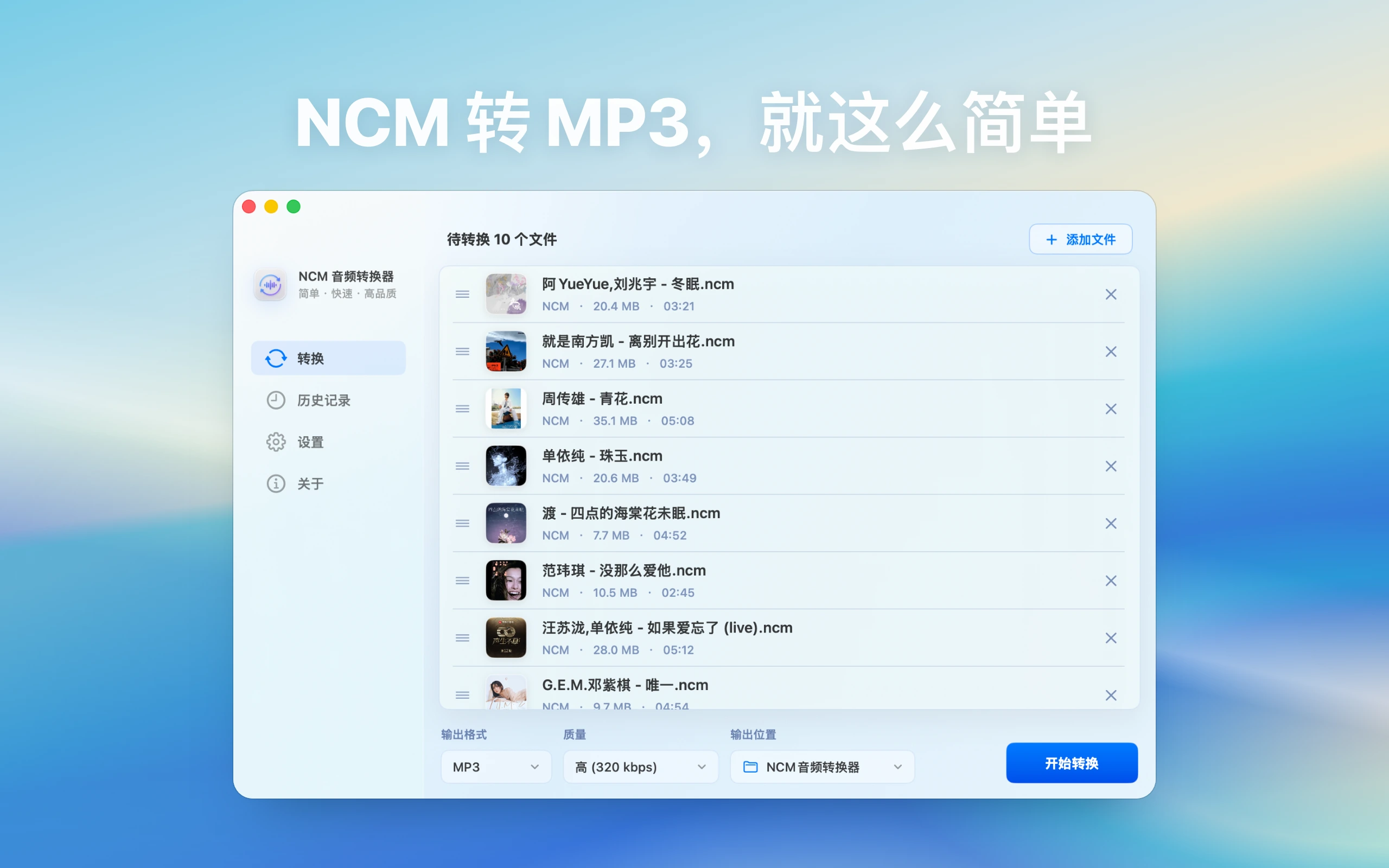
  1. Convert one NCM known to have artwork and one without it, recording tag results separately.
  2. Inspect both outputs in two players and refresh or reimport a copy to exclude stale cache.
  3. If adding authorized artwork, use a practical square image and edit only the converted copy.

How to verify the result

  • Artwork is embedded in the file rather than stored only in one player's database and appears on the target device.
  • Title, artist, and album survive artwork editing without overwrite or encoding damage.

Limitations and stop conditions

Conversion cannot recover trustworthy artwork absent from the source; downloaded images also raise accuracy and usage-right questions.

A real-world example

For example, if you copied a folder of .ncm files from NetEase Cloud Music and want to use them in a car or general player, test two or three tracks as MP3 first. Check names, duration, and playback before converting the whole playlist.

By the end, you should understand when to use an NCM-focused workflow and what to check when output is silent or unreadable.

Start by identifying the file workflow

Before handling “NCM artwork missing, converted music album art”, check which app the file came from, what extension it uses, whether it is already saved locally, and where you want to play it afterward. That determines the output format, naming strategy, and troubleshooting path.

Format and capability boundaries

NCM Audio Converter is positioned for NetEase Cloud Music NCM files. It does not support Kugou KGM or KGMA, and it is not positioned as a general video-to-audio tool. For NetEase Music to MP3 or NCM to MP3 tasks, use the NCM guides; for Kugou KGM/KGMA organization, use the All-in-One Audio Toolbox guides.

How to identify NCM files

NCM usually belongs to a local NetEase Cloud Music workflow. Confirm that the file is actually .ncm, and do not mix it with regular MP3, FLAC, M4A, Kugou, or QQ Music files when diagnosing the task. For NCM-only work, NCM Audio Converter has a clearer scope; for mixed folders, use the broader All-in-One Audio Toolbox guides.

Choosing output for NCM to MP3

MP3 is the practical choice for cars, phones, shared folders, and general players. FLAC is better for quality archives, M4A fits Apple workflows, and WAV is easier for editing. Test two or three files before a large batch and check duration, volume, names, and playback.

Failures, silent output, and permissions

If files cannot be read, check source integrity, external drives, protected macOS folders, and output permissions. If the exported file is silent, test another player first, then rerun a single file to a simple output such as MP3 or WAV.

Common troubleshooting path

If the result is not right, do not expand the batch immediately. Reduce the issue to one file, one clipboard item, one preview target, or one display setup first.

  • Read failure: check macOS file permissions, external-drive access, Downloads protection, and source integrity.
  • Bad output: test another player or target app, then check format, bitrate, duration, and tags.
  • Search misses: adjust filenames, metadata, keywords, or favorite rules instead of relying only on the original title.
  • Unclear permission: review the privacy policy and product page for the local boundary.

Related guides